- Angular CLI Version: 10.0.4
- Angular Core Version: 10.0.4
- Node Version: 12.18.3
- Default Port: 8000
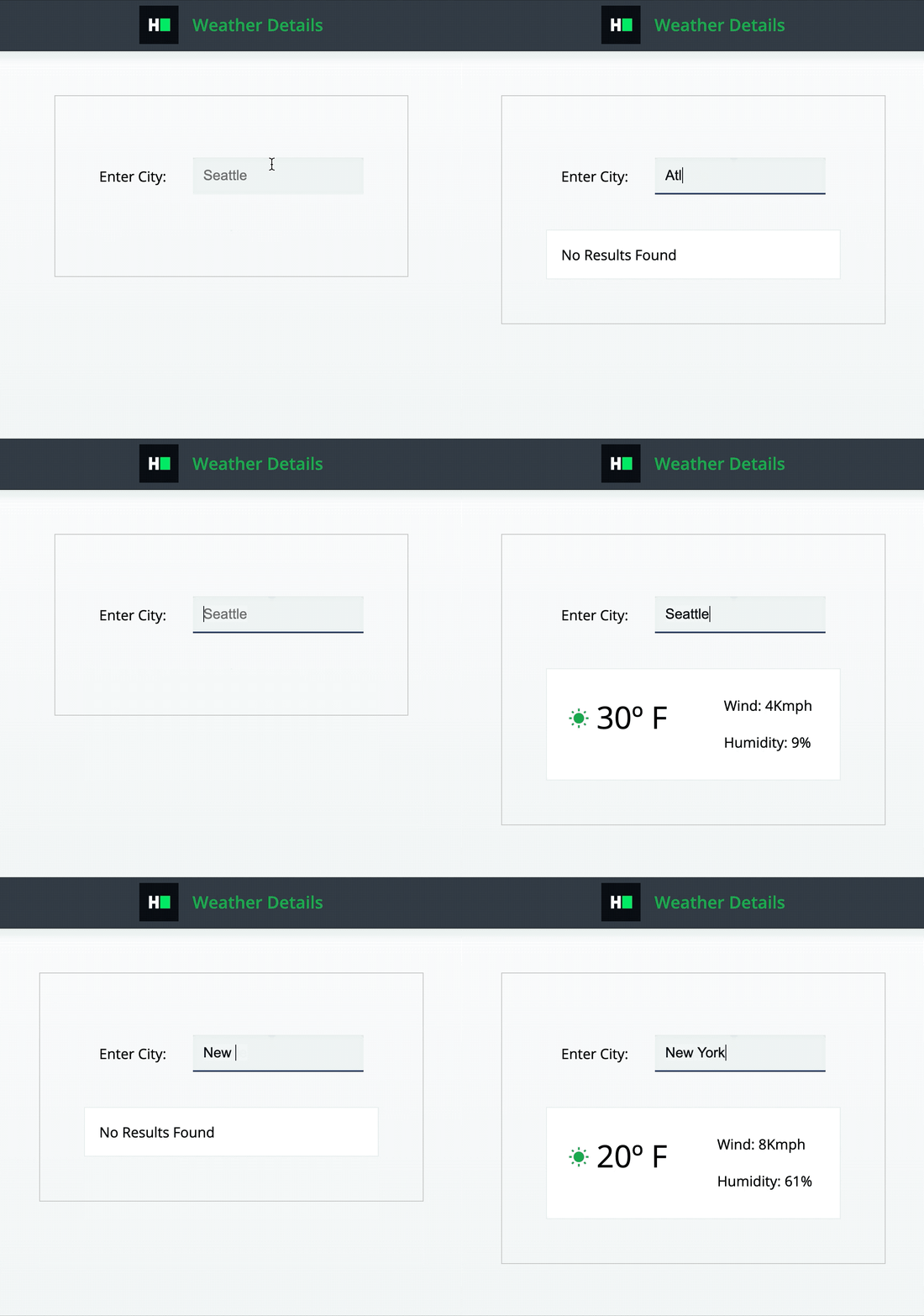
-
An array of objects is passed as a prop to the component, where each object is a weather record for a single city. The object has 4 properties:
- name: The name of the city. [STRING]
- temperature: The temperature in the city. [STRING]
- wind: The wind in the city. [STRING]
- humidity: The humidity in the cit.y [STRING]
-
There is an input field for the city name where the user can type the name of a city to search the weather data for. (The city name is case-insensitive.)
-
If data exists for the typed input, render the weather details
<div>as below, inside<div data-test-id="weather-details">.<span data-test-id="output-temperature">{temperature}</span>, where {temperature} is the value from the weather record.<div data-test-id="output-wind">Wind: {wind}</div>, where {wind} is the value from the weather record.<div data-test-id="output-humidity">Humidity: {humidity}</div>, where {humidity} is the value from the weather record.
-
If no data exists for the typed input, do not render the weather details
<div>, but instead render<div data-test-id="no-results">No Results Found</div>. -
At component render, since nothing is typed, do not render above 2 divs.
-
The city name input should have the data-test-id attribute 'app-input'.
-
The
<div>containing weather details should have the data-test-id attribute 'weather-details'. -
The
<span>containing the temperature should have the data-test-id attribute 'output-temperature'. -
The
<div>containing the wind information should have the data-test-id attribute 'output-wind'. -
The
<div>containing the humidity information should have the data-test-id attribute 'output-humidity'. -
The 'No Results Found'
<div>should have the data-test-id attribute 'no-results'.
Read-only Files
- src/app/weatherDetails/weatherDetails.component.spec.ts
- src/app/app.component.spec.ts
- src/app/app.component.ts
- src/app/app.module.ts
Commands
- run:
bash bin/env_setup && . $HOME/.nvm/nvm.sh && npm start- install:
bash bin/env_setup && . $HOME/.nvm/nvm.sh && npm install- test:
bash bin/env_setup && . $HOME/.nvm/nvm.sh && npm test