


Hand off the plan. Come back to a branch.
Hand RalphTerm a markdown checkbox plan and let two AI agents do the work. One agent picks the next task, edits files, runs validation, commits. A different agent — different vendor if you want — cross-reviews the resulting diff across five dimensions (quality, implementation, testing, simplification, documentation) in a single session. They go back and forth until the plan is done and the review is clean. You read the branch when you come back.
# Linux / macOS — prebuilt binary
curl -sSf https://ralphterm.rayforcedb.com/install.sh | sh

# macOS / Linuxbrew — tap this repository as a formula source
brew tap RayforceDB/ralphterm https://github.com/RayforceDB/ralphterm
brew install ralphterm

# Windows PowerShell — prebuilt binary
irm https://ralphterm.rayforcedb.com/install.ps1 | iex

# From source (any platform with cargo)
cargo install ralphterm
The shell and PowerShell installers land ralphterm in ~/.local/bin and support ralphterm update for in-place upgrades. Homebrew manages upgrades through brew upgrade ralphterm.
# Implementation loop only (skip the review gate)
ralphterm --tasks-only docs/plans/feature.md

# Full mode — implementation + 3-phase review pipeline
ralphterm docs/plans/feature.md

# Web dashboard at http://127.0.0.1:7878/dashboard
ralphterm serve
Plan files are markdown. Each - [ ] is a task; the implementer agent picks the next one, edits files, runs validation commands, commits, marks it done. See docs/workflows.md for the format and the per-phase contract.
Claude Code gates every workspace behind a one-time interactive trust prompt ("Is this the project you want to trust?"). RalphTerm cannot answer it for you — it's the exact prompt Anthropic's CLI uses to confirm a human is in front of the keyboard. The first time you point RalphTerm at a directory it has not seen, you'll see:
ralphterm needs Claude Code to trust this workspace.
Have you run `claude` here once and accepted the trust dialog? [y/N]
Run claude once in the workspace, accept the dialog, exit (Ctrl+D), then answer y. RalphTerm drops a .ralphterm/trusted sentinel (SSH-known_hosts-style) so subsequent runs skip the prompt. In CI / non-TTY environments, set RALPHTERM_ASSUME_TRUSTED=1 to bypass the check after you've validated trust out of band.
Inside the loop, RalphTerm hands each iteration's response off through a file at .ralphterm/iteration-output/<nonce>.md (wrapped in <<<BEGIN>>>/<<<END>>> markers). The captured slice — claude's own account of what changed — is appended to the progress log and fed to the next iteration's fresh implementer. This is robust against TUI rendering quirks: the marker channel is on disk, never in the PTY stream.
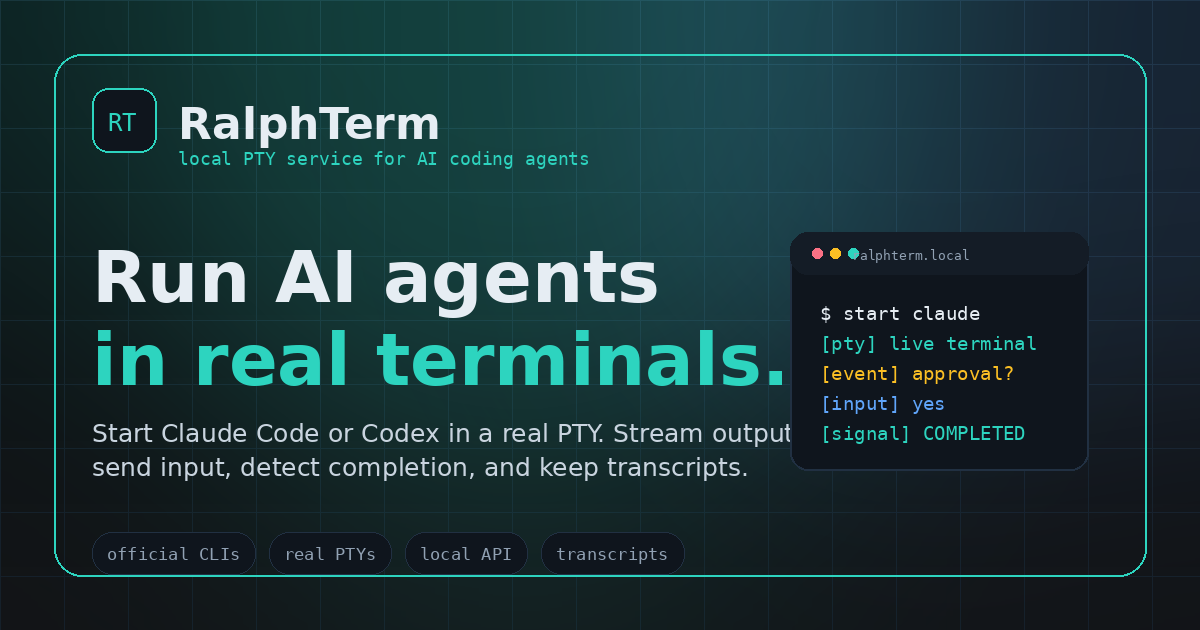
AI coding tools are becoming interactive terminal products. Automation built around non-interactive prompt mode is fragile — the CLI may ask for approval, change output format, need follow-up input, hit auth, or move more behavior into the interactive terminal. RalphTerm takes the durable path: launch the real CLI in a real terminal and build a reliable control plane around it. The official CLI still owns login, rate limits, safety prompts, and account identity. RalphTerm owns session control, streaming, transcripts, signals, approvals, review gates, and notifications.
- ✓ Plan loop with per-task commits + auto-move on completion
- ✓ 3-phase parallel review pipeline before merge
- ✓ Notifications (Telegram, Slack, Email, Webhook)
- ✓ Docker isolation
- ✓ Alternate providers: Codex, Copilot, Gemini, OpenCode
- ✓ Worktree-isolated runs
- ✓ Review retry with patience
- Website: ralphterm.rayforcedb.com
- Documentation: ralphterm.rayforcedb.com/docs/
- Workflows: ralphterm.rayforcedb.com/docs/workflows.html
- Social preview: assets/social-preview.png
- CLI reference:
docs/cli-reference.md - Milestone 1:
docs/milestones/m1-autonomous-engineering.md - Security model:
docs/security.md
- Replaces one-shot prompt-mode execution with one isolated PTY session per agent run.
- Supports Claude Code and Codex as first-class agents, plus Copilot, Gemini, and OpenCode via bundled wrappers.
- Sends prompts and follow-up input as terminal keystrokes.
- Streams raw terminal output over WebSocket.
- Keeps transcripts and status for every session.
- Detects workflow signals such as
COMPLETED,FAILED,PLAN_READY,QUESTION,REVIEW_DONE, and the<<<RALPHTERM:*>>>prefixed variants. - Exposes REST controls for create, input, resize, cancel, status, transcript, and events.
- Binds to
127.0.0.1by default because the API controls local terminals.
git clone git@github.com:RayforceDB/ralphterm.git
cd ralphterm
cargo run -- serve --bind 127.0.0.1:7878
Health check:
curl http://127.0.0.1:7878/healthExpected:
{"ok":true}GET /health
POST /v1/runs
GET /v1/runs
GET /v1/runs/:id
GET /v1/runs/:id/events
GET /v1/runs/:id/summary
GET /v1/runs/:id/summary.json
GET /v1/runs/:id/diff
GET /v1/runs/:id/progress
GET /v1/runs/:id/progress/:artifact
POST /v1/runs/:id/cancel
POST /v1/sessions
GET /v1/sessions
GET /v1/sessions/:id
POST /v1/sessions/:id/input
POST /v1/sessions/:id/resize
POST /v1/sessions/:id/cancel
GET /v1/sessions/:id/events
GET /v1/sessions/:id/transcriptDeterministic smoke test using /bin/sh as the command override:
ID=$(curl -sS -X POST http://127.0.0.1:7878/v1/sessions \
  -H 'content-type: application/json' \
  -d '{
    "agent":"claude",
    "command":"/bin/sh",
    "args":["-lc","read line; printf \"%s\\n\" \"$line\"; echo COMPLETED"],
    "prompt":"hello from ralphterm"
  }' | python3 -c 'import sys,json; print(json.load(sys.stdin)["id"])')

curl http://127.0.0.1:7878/v1/sessions/$ID
curl http://127.0.0.1:7878/v1/sessions
curl http://127.0.0.1:7878/v1/sessions/$ID/transcript
Manual real CLI smoke test and plan run:
ralphterm smoke --agent claude
ralphterm run docs/plans/example.md --dry-run
ralphterm run docs/plans/example.md --agent claude \
  --require-review \
  --review-command "codex exec review-task"
ralphterm run docs/plans/example.md --workspace-id docs-slice --agent claude
--require-review makes review mandatory for a plan run. If it is set without --review-command or --review-agent, RalphTerm fails before starting the implementation agent, so it cannot accept or execute tasks without an independent review configuration. Use --review-agent codex for a built-in reviewer CLI, or --review-command <cmd> for a custom reviewer command. The reviewer sees the task text, implementation transcript, validation output, and current git state. It must print REVIEW_PASS before RalphTerm marks the task [x] or commits. By default, the first REVIEW_FAIL triggers one retry with reviewer feedback sent back to the implementation agent; a second review failure leaves the task unchecked and prevents the commit. Use --max-review-retries N to allow more review-driven retries, or --max-review-retries 0 to block on the first failed review.
Start with ralphterm smoke --agent claude or ralphterm smoke --agent codex to verify the official CLI can start inside a real PTY, receive terminal input, print COMPLETED, and exit. Then use --dry-run to see pending tasks, review mode, review retry budget, and validation commands without starting an agent, editing the plan, writing progress logs, or committing. Run the real plan command only after the official Claude Code CLI is installed, authenticated, and works interactively as claude in your shell. RalphTerm launches the interactive CLI in a PTY and sends terminal input; it does not use claude -p, --print, or any one-shot prompt mode. Use --agent codex to run the same workflow with an authenticated interactive codex CLI. The lower-level --agent-command <cmd> option remains available for tests and custom command wrappers.
Use ralphterm run PLAN --workspace-id <id> when the plan should run in a managed git worktree instead of the checkout you invoked from. RalphTerm creates .ralphterm/workspaces/<id>, switches into the matching caller-relative plan path inside that worktree, and runs the plan from there. The run does not auto-clean the worktree; inspect it or remove it later with ralphterm workspace cleanup <id>. With --dry-run --workspace-id <id>, dry run only previews the workspace path and plan work without creating the worktree or running an agent.
Milestone 1 is to ship a complete autonomous engineering workflow on top of RalphTerm's PTY core:
- task intake and planning
- isolated workspaces
- multi-agent execution
- review loops
- approval queue
- status dashboard
- notifications
- transcript and event audit trail
- final patch and summary artifacts
- local-first API and CLI
See docs/milestones/m1-autonomous-engineering.md.
docs/getting-started.md— install and first rundocs/ralphex-compat.md— flag, config, signal, and exit-code compatibility matrixdocs/cli-reference.md— every flag from--helpdocs/migrate-from-ralphex.md— step-by-step migrationdocs/workflows.md— run and review workflowsdocs/notifications.md— Telegram, Slack, webhook, SMTPdocs/docker.md— Docker-isolated runsdocs/providers.md— alternate-provider wrappersdocs/product.md— product positioning and principlesdocs/api.md— current API contractdocs/architecture.md— daemon, PTY runtime, events, storagedocs/security.md— compliance and safety modelsite/— static landing website and hosted docs
cargo fmt --all -- --check
cargo clippy --all-targets --all-features -- -D warnings
cargo test --allRalphTerm is a terminal multiplexer and orchestration layer, not a protocol bypass. It launches official user-installed CLIs in PTYs, leaves auth and rate limits to those CLIs, and requires explicit user-configured approval policy for automation. It does not emulate private APIs, store provider credentials, alter account identity, or bypass interactive safety prompts by default.
MIT. See LICENSE.