Every time when I have an idea for a new project - I send an email to myself, so I don't forget it. This repository describes a quick life hack that I recently learned.
GMail will deliver mail addressed to "yourself+tag@gmail.com" as though it was addressed to "yourself@gmail.com". Every time when you have a new idea, you can just email it to yourself+idea@gmail.com.
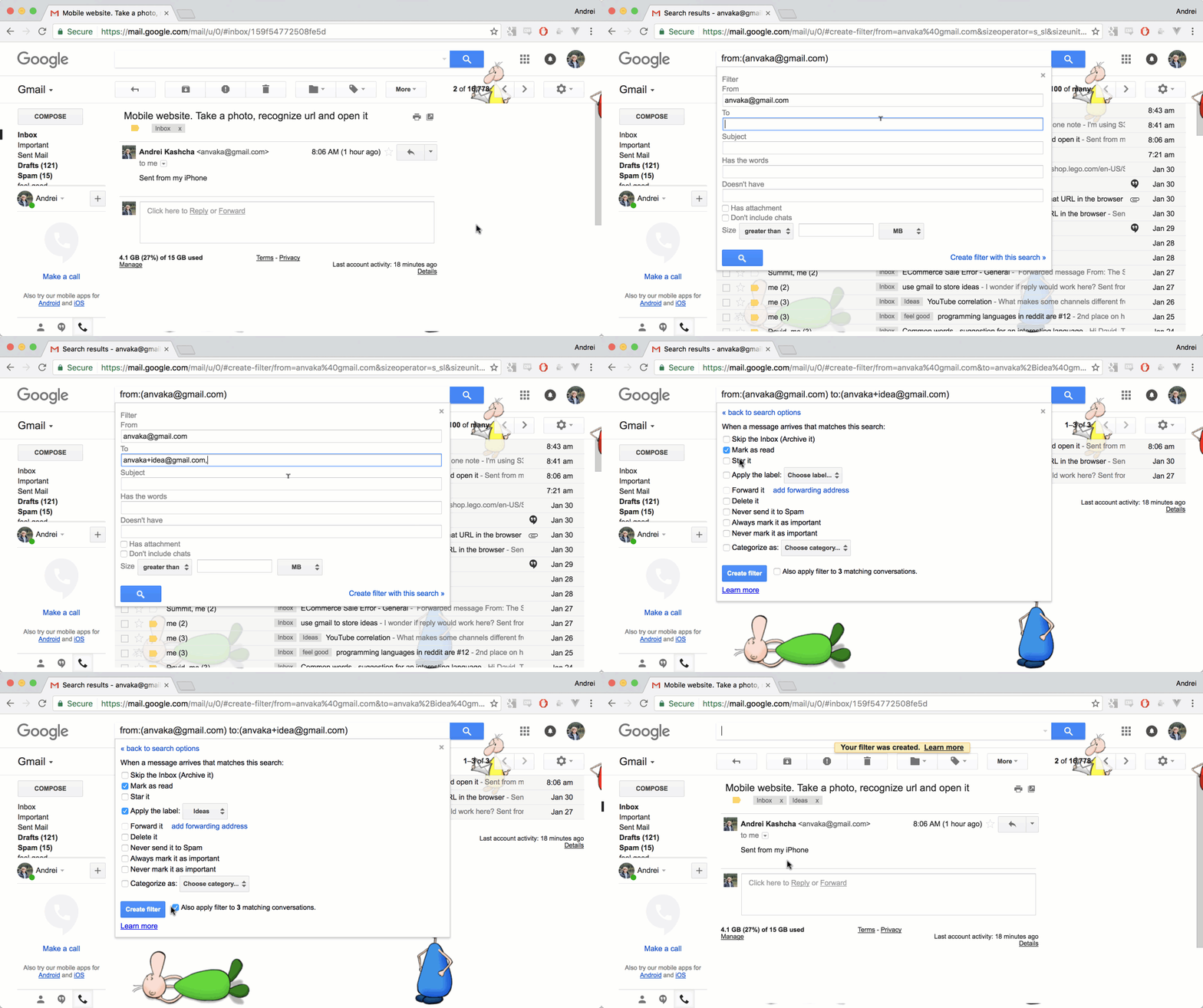
If you also set up GMail filters, you can mark these emails as "read" and apply labels to them:
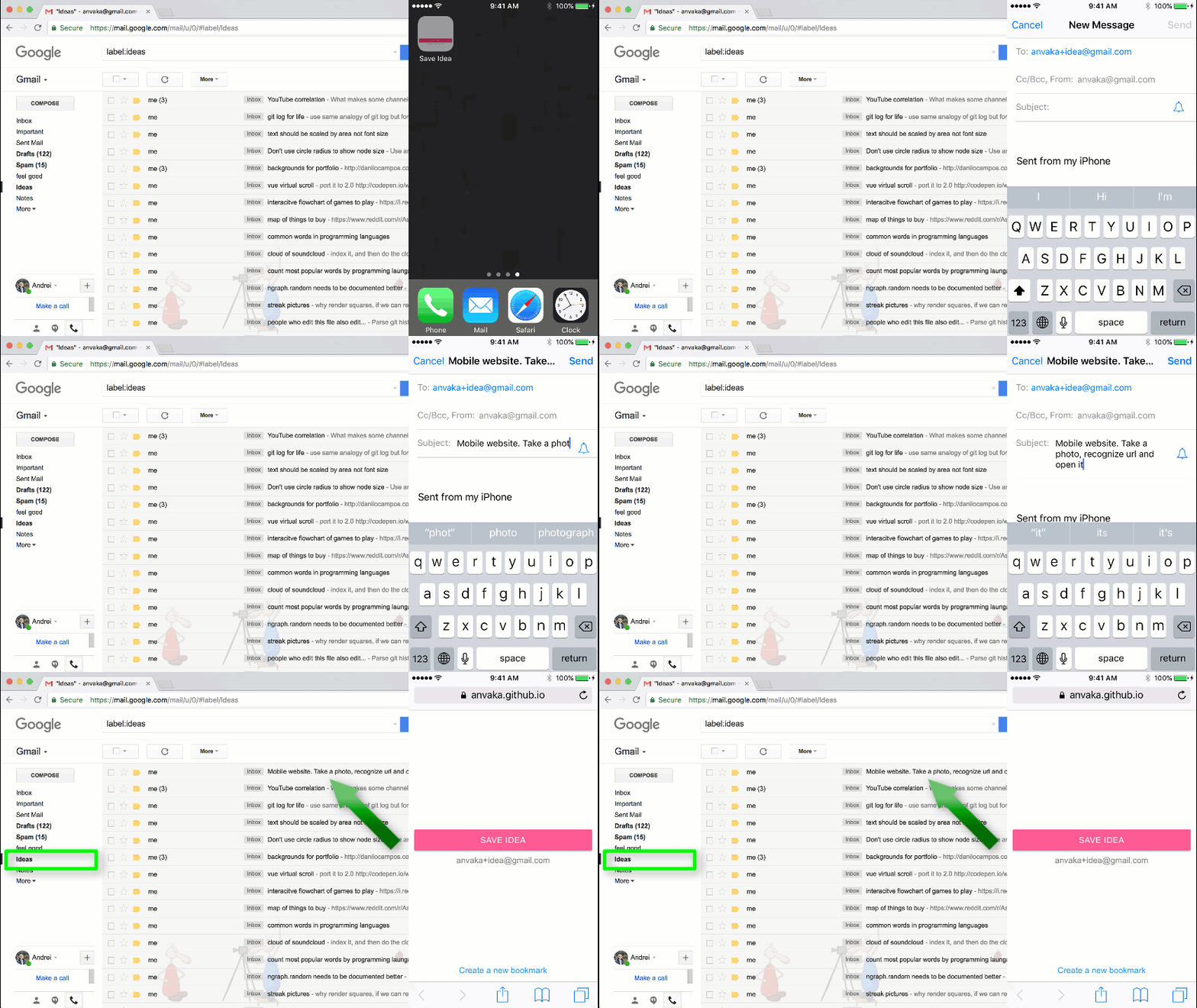
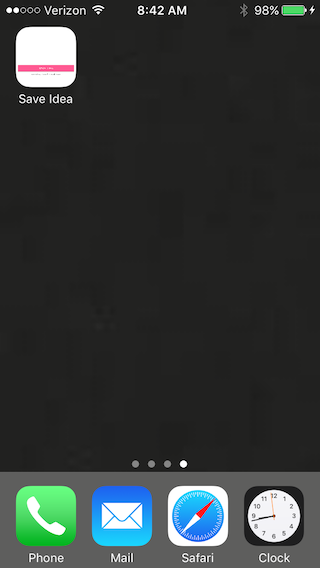
It depends on your phone. iPhone, unfortunately, does not let you to "pin" a single email to the home screen. So I made a website, that has just one button. When clicked - it opens your email client.
You can design the name of the button and email address. The website gives you a link that can be added to home screen
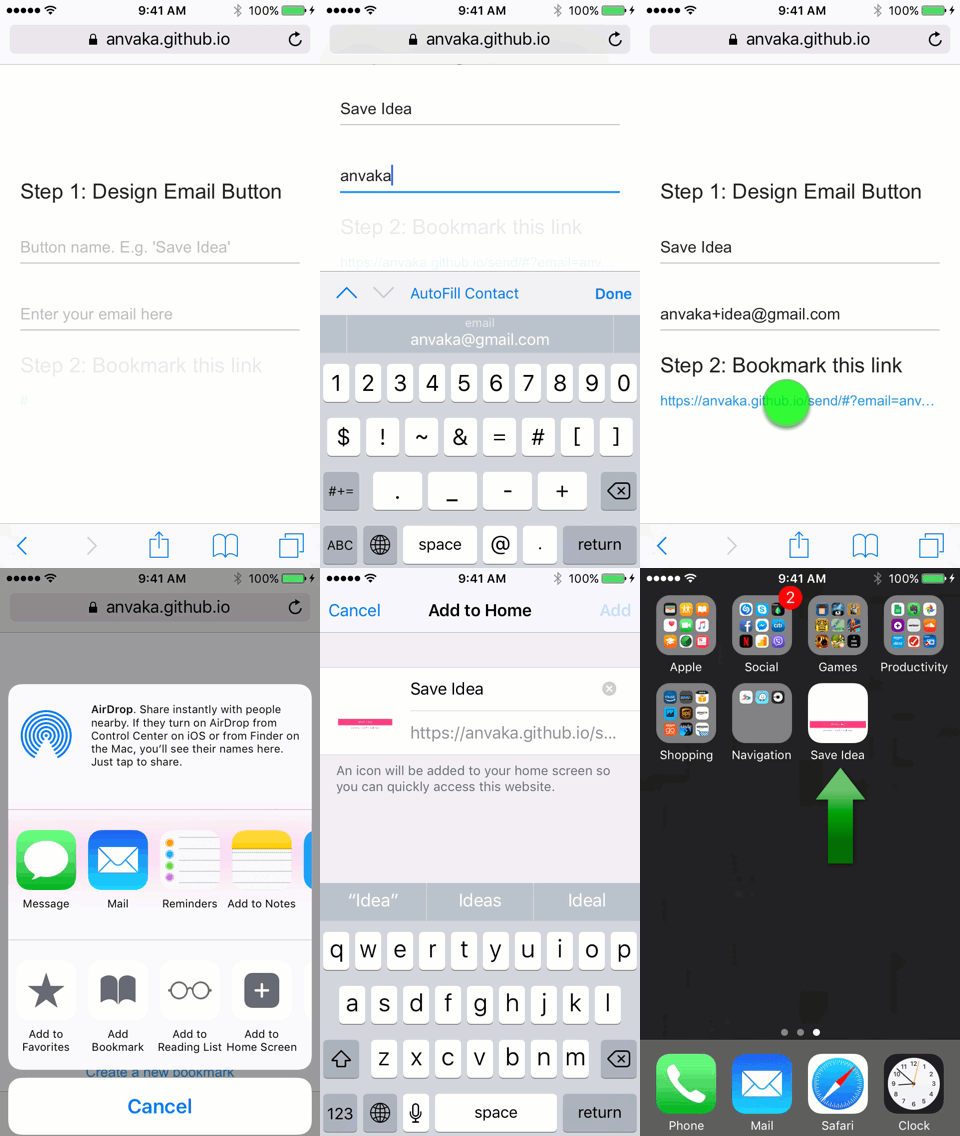
Note: The website does not track you and never sends your email anywhere. In fact, it uses a hash tag to store your email address. Hash tags are not sent to the server, so even GitHub will not know your email from bookmarked URL.
- Open an email, and select "Filter messages like this"
- Follow throught the screen to create a filter. Click on "Create filter with this search"
- Select label that you want to apply
I hope you like this small tip. I wish you all to be productive, creative, and happy!
MIT