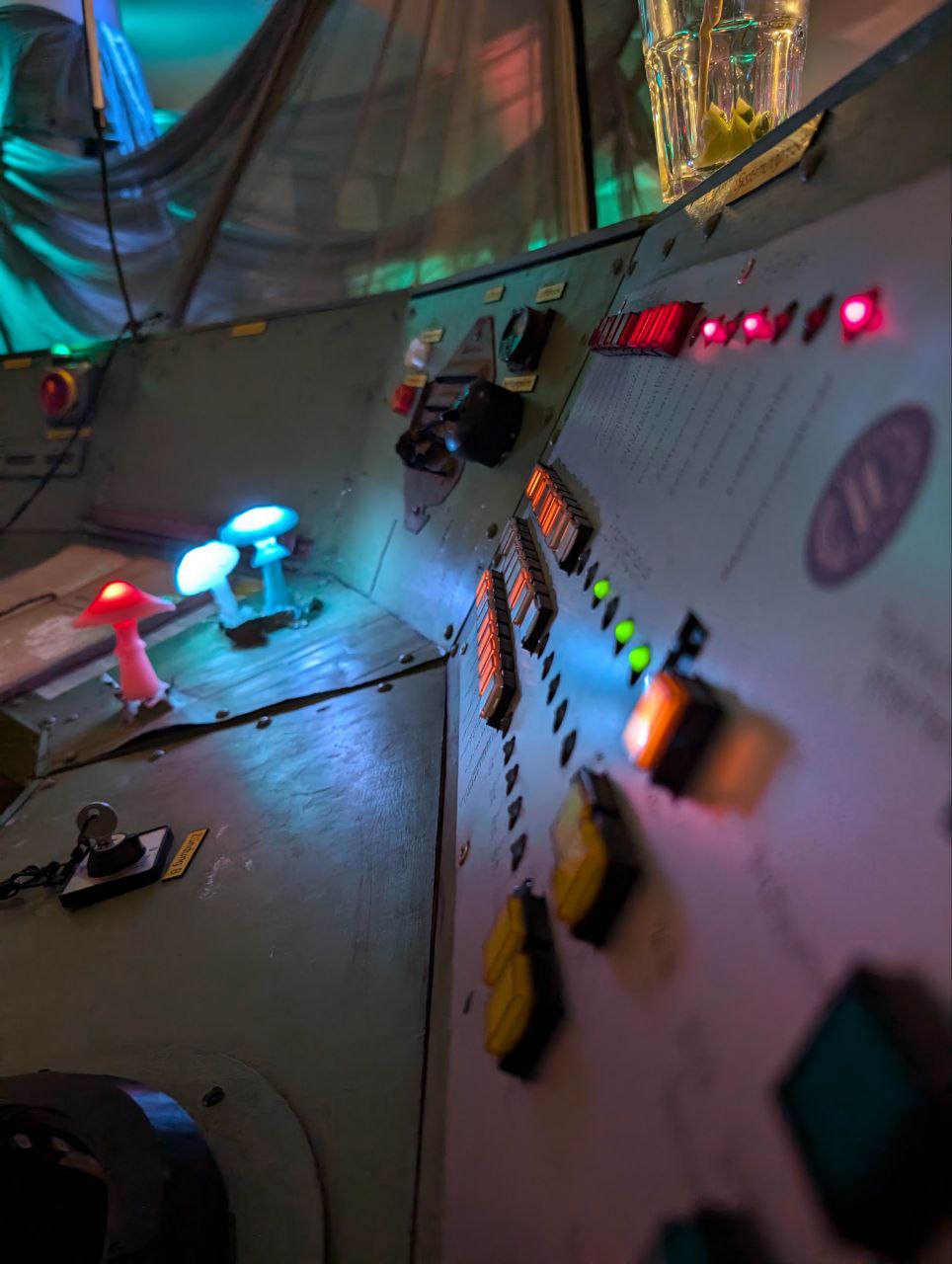
This repository is the full software collection that powers the Control Panel, an art installation built by Dachboden Berlin that is inspired by real-life control panels from the 70s such as the ones you would be able to find in power plants or at Mission Control.
Note that this project has not yet reached its first full release. Documentation is sparse and everything is subject to change. You are still more than welcome to try it out yourself!
The code is written entirely in Python/Micropython, with the exception of a few select micropython functions that have been compiled as C modules for extra performance.
While the software was written specifically for our installation, we have deliberately kept it as open and modular as circumstances allowed, making it possible if not easy to adapt this software for your very own control panel, or control panel analogue.
The Control Panel relies on a central computer running CPython (running on either Linux/Mac/Windows) that collects the data from arbitrarily many microcontrollers running Micropython (tested only on the ESP32 platform, though chances are good it works on the other Micropython Ports out of the gate!) that are connected over a common network. Communication happens over UDP (via the ArtNet 4 Protocol).
Button states and other sensors are read by microcontrollers, sent to the Control Panel program, where they are parsed and sent to an event manager, after which the program may send ArtDMX signals back to the microcontroller to turn on a light or other fixtures.
- Simple to set up: thanks to one centralized JSON manifest containing a list of all devices, all microcontrollers receive the same firmware. Their DHCP hostname tells them which sensors and fixtures to initialize.
- Intuitive API: Writing your own software is as simple as calling
from controlpanel import api. To register callbacks, you decorate a function with@api.callback(source="BigRedButton"). To toggle an LED, you doapi.get_device("BlueLED").turn_on(). Everything else is handled by the API. - Fully typed: The API is fully typed, making it ideal to use with a language server such as pyright. For example,
typing
api.get_device(will immediately present you a list of all defined devices, with all their available methods. Requires running thegenerate_stubsentry point after modifying thedevice_manifest.json. - WIP script upload form: If you wish, the software will launch a simple FastAPI server (port 8000), where
users can upload their own Python scripts. All scripts are by default sandboxed by
RestrictedPython, meaning it's
impossiblenontrivial to break your setup with a nefarious call to theosmodule. - Interactive GUI: Pygame is a first class citizen on this project. This allows you to run your own pygame games directly on the software, with full API integration, allowing you to control the game using physical switches. It also allows you to directly use any SDL compatible device, such as a joystick, as an input device to drive physical lights and other fixtures.
- Micropython Tooling: The software also comes with its own tooling for easily updating the microcontrollers running micropython OTA via network. It keeps track of all transferred files on a per-device level to minimize the amount of traffic, shortening the time spent on updating every microcontroller.
- Debugging Tools: By default, the GUI comes with a developer console (opened by the key under Escape,
~on US Layouts), that prints incoming packets and allows you to evaluate arbitrary Python code as if you were in the REPL, like doingeval devices.BlueLED.toggle(). It also comes with a multitude of other convenience commands, discoverable by enteringhelp.
-
Clone the repository:
git clone <repository_url>
cd control-panel
-
Install the package: It is recommended to use a virtual environment.
pip install .[full]
# For development include -e for editable mode:
pip install -e .[full]
Run the control panel using the controlpanel command:
controlpanel [OPTIONS]Common Options:
--no-gui: Run in headless mode without the GUI.--cheats: Enable all commands in the developer console.-f,--fullscreen: Start the application in fullscreen mode.--width,--height: Set custom window dimensions.--start-server: Start the integrated web server on port 8000.--load-scripts: Load specific scripts from theuserscriptsdirectory.--shaders: Enable shader support using moderngl. (Experimental!)
Example:
controlpanel --fullscreen --start-server --shadersThe project includes several CLI tools for hardware development:
Transfer files to a MicroPython device via WebREPL. Requires Micropython 1.26.1 to be installed on the device. A full guide to transfer and set up the firmware is following in the future.
transfer <HOSTNAME> [PATH] [OPTIONS]--IP: Override IP address resolution.-p: WebREPL password, configured on the microcontroller usingimport webrepl_setup.-f: Force transfer (ignore checksums).--transfer-files-only: Skip directory structure creation.
Generate type stubs for better IDE support.
generate_stubsThis section is under construction!
The license is TBD for the near future, while we deliberate on which one best suits our project.