

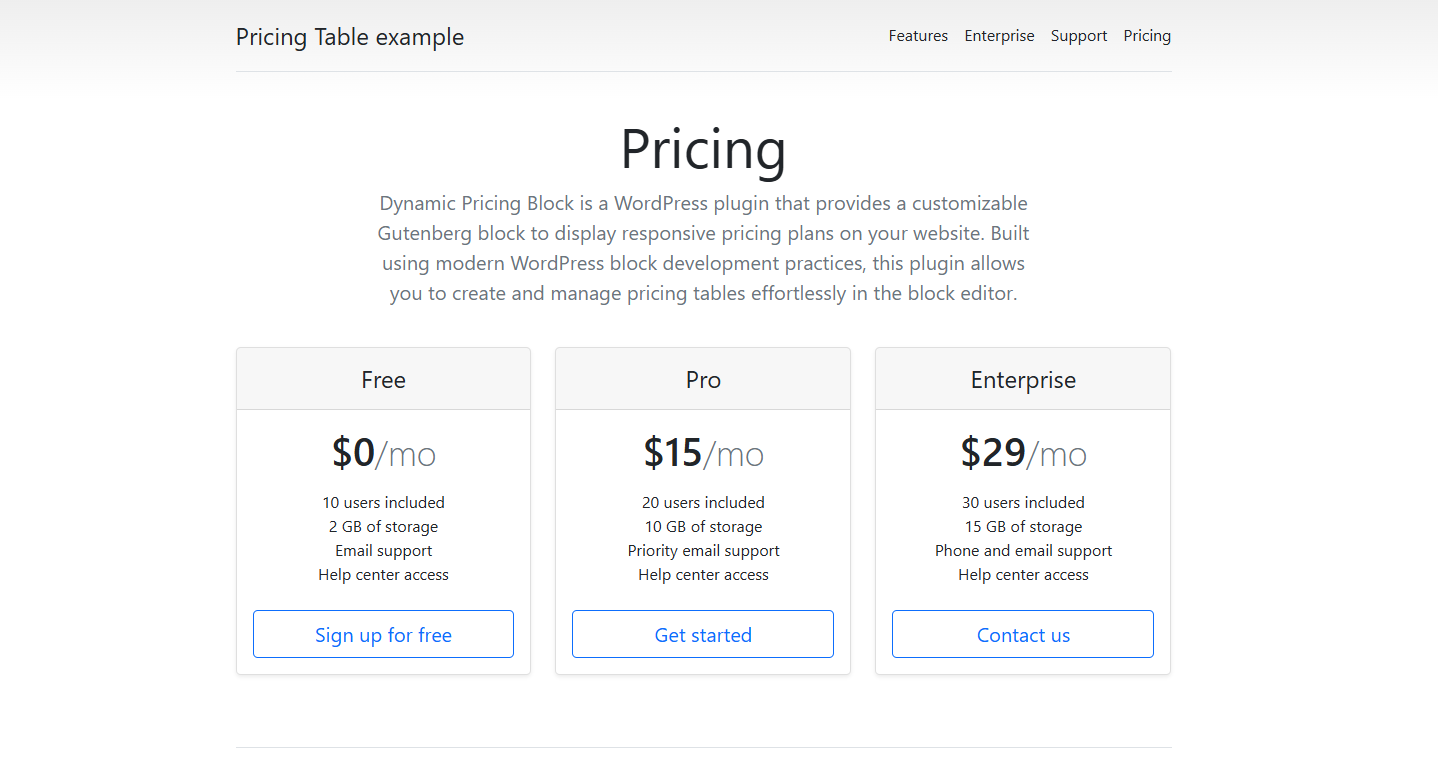
Dynamic Pricing Block is a WordPress plugin that provides a customizable Gutenberg block to display responsive pricing plans on your website. Built using modern WordPress block development practices, this plugin allows you to create and manage pricing tables effortlessly in the block editor.
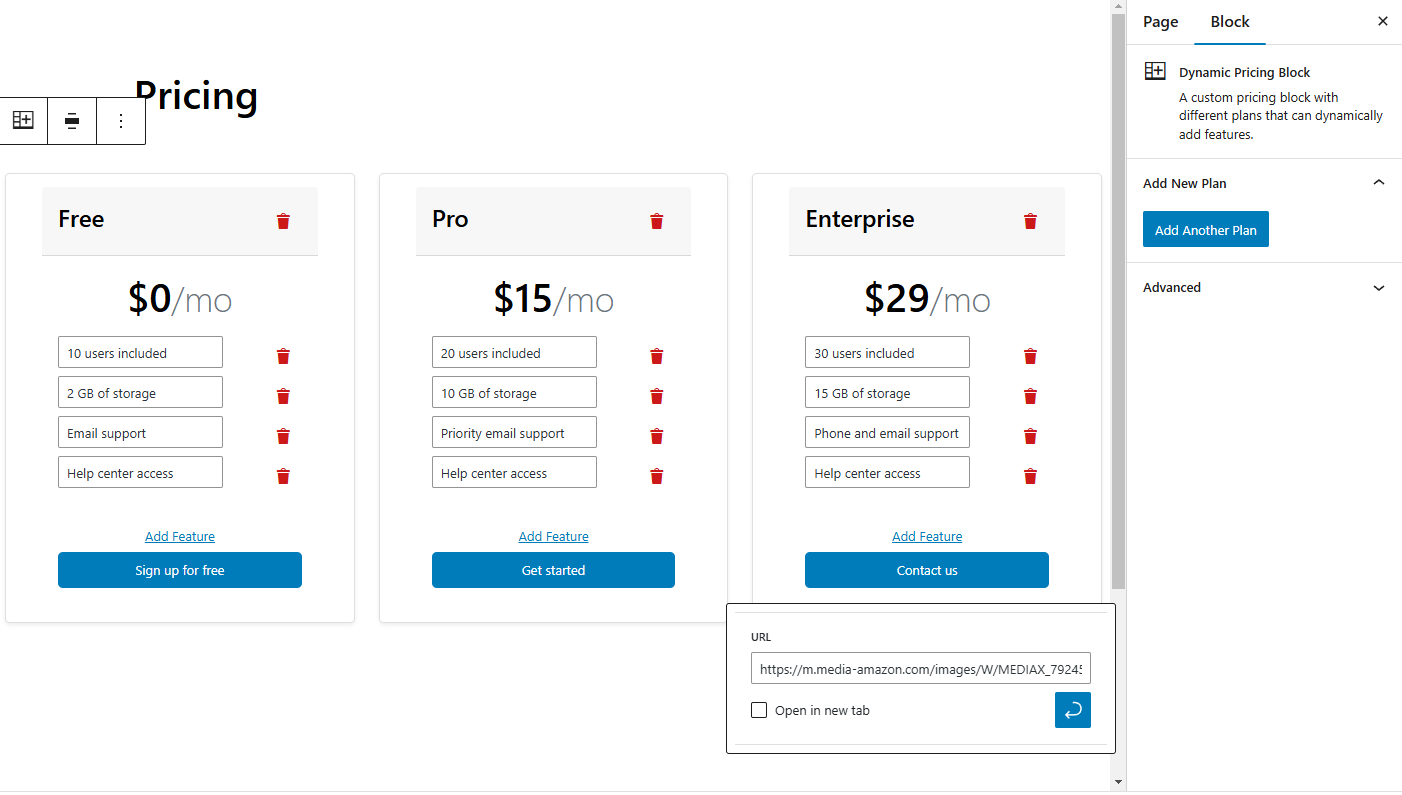
The block includes customizable options for plan titles, pricing, features, and call-to-action buttons. Additionally, you can dynamically add multiple plans directly from the editor.
- 🛠 Customizable Pricing Plans:
- Edit the plan title, price, features, and button text easily.
- ➕ Dynamic Plan Creation:
- Add multiple pricing plans dynamically with an "Add Plan" button.
- 🎨 Responsive Design:
- Built with Bootstrap, ensuring the pricing block adapts beautifully on all devices.
- 🎚 Alignment Support:
- Defaults to "wide width" but supports alignment options like "wide" and "full."
- ⚡ Modern WordPress Integration:
- Seamlessly integrates with the Gutenberg block editor.
Follow these steps to install the plugin:
-
Download or Clone the Plugin
Download the plugin ZIP file or clone this repository to your local machine:git clone https://github.com/yourusername/dynamic-pricing-block.git -
Upload the Plugin
Upload thedynamic-pricing-blockfolder to your WordPress installation:/wp-content/plugins/dynamic-pricing-block -
Activate the Plugin
Go to your WordPress Dashboard:- Navigate to Plugins > Installed Plugins.
- Activate the Dynamic Pricing Block plugin.
-
Insert the Block
- Open the WordPress block editor.
- Add the Dynamic Pricing Block from the Widgets category.
-
Add a Block
- In the Gutenberg editor, search for "Dynamic Pricing Block."
- Add the block to your page or post.
-
Customize the Block
- Use the editor controls to:
- Edit plan titles, prices, and feature lists.
- Customize the button text for call-to-action buttons.
- Add or remove pricing plans dynamically with the "Add Plan" button.
- Use the editor controls to:
-
Alignment
- The block defaults to wide width but can be changed to "full width" or other options using the alignment toolbar.
-
Publish
- Save your changes and publish or update the page.
The project follows a clean and organized structure for WordPress block development:
dynamic-pricing-block/
│
├── assets/                     # Assets like Bootstrap CSS
│   └── dist/css/bootstrap.min.css
│
├── blocks/                     # Gutenberg block setup
│   ├── src/                    # Block source files
│   │   ├── editor.js           # Block editor functionality
│   │   ├── save.js             # Front-end rendering
│   │   ├── index.js            # Block registration
│   │   └── style.scss          # Block styles
│   └── block.json              # Block metadata
│
├── build/                      # Compiled block assets
│   ├── index.js                # Compiled JavaScript
│   └── style-index.css         # Compiled CSS
│
├── dynamic-pricing-block.php   # Main plugin file
├── package.json                # Dependencies and scripts
├── LICENSE                     # License file
└── README.md                   # Project documentation`
To develop and build the plugin locally, ensure you have:
- Node.js and npm installed.
- WordPress local development environment (e.g., Local by Flywheel, XAMPP, or Docker).
-
Install Dependencies
Run the following command to install the required dependencies:bash
Copy code
npm install -
Build the Block
Use thebuildscript to compile the block assets:bash
Copy code
npm run build -
Start Development
Run the following command to enable a watch mode for development:bash
Copy code
npm start
Contributions are welcome! Here's how you can help:
-
Fork the repository.
-
Create a new branch for your feature or bug fix:
bash
Copy code
git checkout -b feature-name -
Make your changes and commit them:
bash
Copy code
git commit -m "Add new feature or fix" -
Push to your fork:
bash
Copy code
git push origin feature-name -
Submit a pull request.
This plugin is licensed under the GPL-2.0-or-later license. See the LICENSE file for more details.
- Martin Ndegwa Moche
- GitHub: @ndegwamoche
- Email: ndegwamoche@gmail.com
- Built using the WordPress Gutenberg Block Editor and Bootstrap framework.
For issues, suggestions, or feature requests, please open an issue on the GitHub repository.