






Note
- It's probably the fastest Python package to convert longitude/latitude to timezone name.
- This package uses simplified polygon data. The error around borders is small and bounded: every simplified boundary stays within about 111 m of the full-precision border. See Accuracy for measured numbers.
- Rust use lazy init, so first calling will be a little slow.
- Use about 70MB memory.
- It's tested under Python 3.10+.
- Try it online:
- https://ringsaturn.github.io/tzf-web/, powered by tzf-rs and WebAssembly
Please note that new timezone names may be added to tzfpy, which could be incompatible with old version package like pytz or tzdata. As an option, tzfpy supports install compatible version of those packages with extra params.
# Install just tzfpy
pip install tzfpy

# Install with pytz
pip install "tzfpy[pytz]"

# Install with tzdata. https://github.com/python/tzdata
pip install "tzfpy[tzdata]"

# Install via conda, see more in https://github.com/conda-forge/tzfpy-feedstock
conda install -c conda-forge tzfpy>>> from tzfpy import get_tz, get_tzs
>>> get_tz(116.3883, 39.9289) # in (longitude, latitude) order.
'Asia/Shanghai'
>>> get_tzs(87.4160, 44.0400) # in (longitude, latitude) order.
['Asia/Shanghai', 'Asia/Urumqi']Or you can try it via uvx:
uvx --with tzfpy python -c "from tzfpy import get_tz;tz = get_tz(116.3883,39.9289);print(tz)"
Asia/Shanghaitzfpy follows current tzf-rs behavior: DefaultFinder enables y_stripes
by default. If you need to disable y_stripes, use this environment variable:
export _TZFPY_DISABLE_Y_STRIPES=1The index requires about 5MB memory, but can speed up query missing from pre-index, especially around borders.
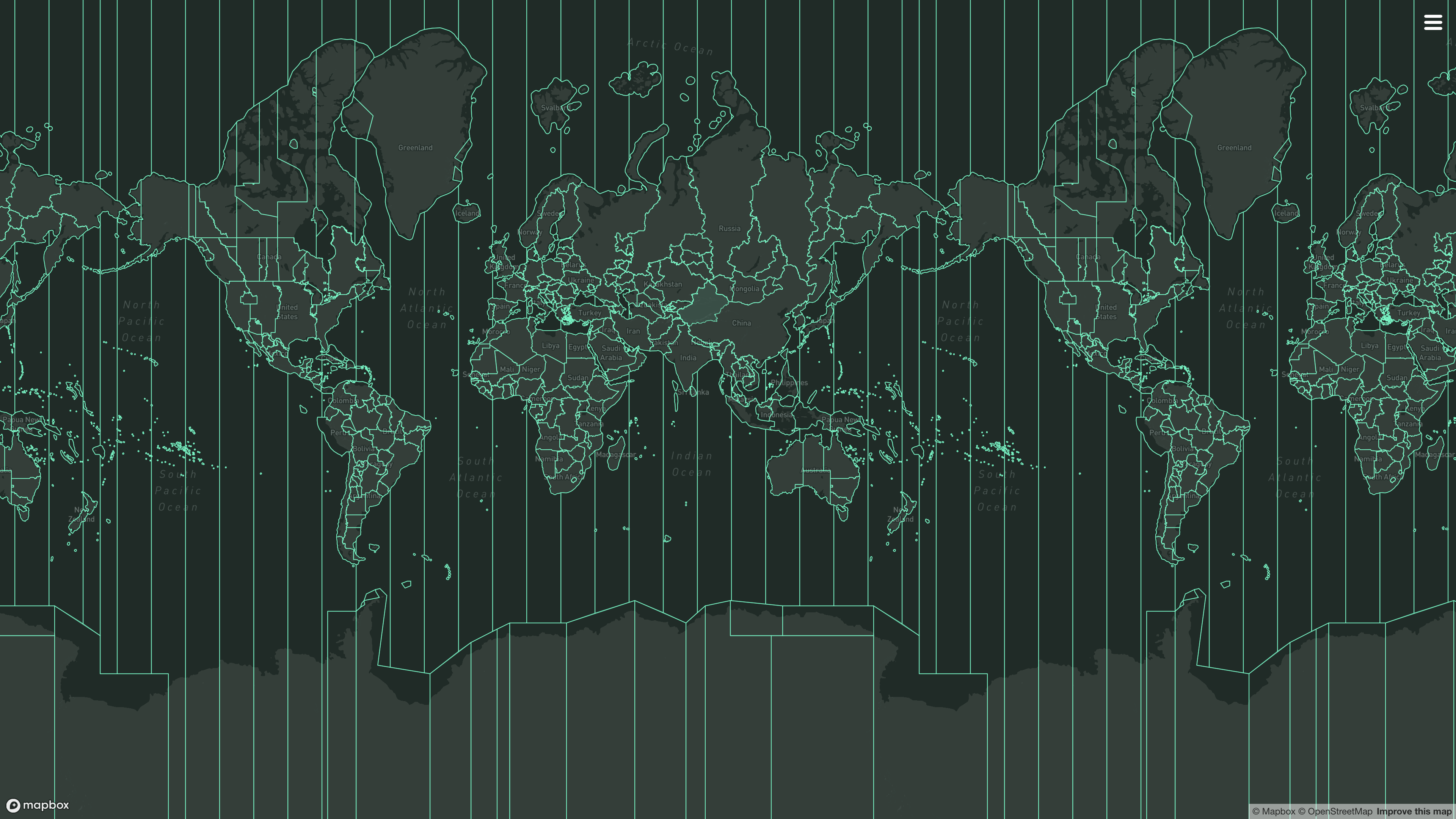
For data visualization, you can get timezone polygon GeoJSON data from tzfpy:
from tzfpy import get_tz, get_tz_index_geojson, get_tz_polygon_geojson

lng = -74.0060
lat = 40.7128
tz = get_tz(lng, lat)
print(f"Timezone for ({lng}, {lat}): {tz}")

with open("tz_nyc_polygon.geojson", "w") as f:
    geojson_data = get_tz_polygon_geojson(tz)
    f.write(geojson_data)

with open("tz_nyc_index.geojson", "w") as f:
    geojson_data = get_tz_index_geojson(tz)
f.write(geojson_data)-
Always install tzfpy with
tzdataextra:pip install tzfpy[tzdata] -
Use Python's zoneinfo package(
import zoneinfo, akatzdatain PyPI) to handle timezone names, even if you are using arrow:examples/tzfpy_with_datetime.py:from datetime import datetime, timezone from zoneinfo import ZoneInfo from tzfpy import get_tz tz = get_tz(139.7744, 35.6812) # Tokyo now = datetime.now(timezone.utc) now = now.replace(tzinfo=ZoneInfo(tz)) print(now) # 2025-04-29 01:33:56.325194+09:00
from zoneinfo import ZoneInfo

import arrow
from tzfpy import get_tz

tz = get_tz(139.7744, 35.6812)  # Tokyo

arrow_now = arrow.now(ZoneInfo(tz))
print(arrow_now.format("YYYY-MM-DD HH:mm:ss ZZZ"))
# 2025-04-29 01:33:56.325194+09:00
If you are using whenever, since whenever use tzdata internally, so it's compatible with tzfpy:
examples/tzfpy_with_whenever.py:from whenever import Instant from tzfpy import get_tz now = Instant.now() tz = get_tz(139.7744, 35.6812) # Tokyo now = now.to_tz(tz) print(now) # 2025-04-29T10:33:28.427784+09:00[Asia/Tokyo]
The Douglas-Peucker simplification uses an epsilon of 0.001 degrees, which
caps boundary displacement at roughly 111 m by construction. Measured against
the full-precision 2026c dataset with tzf's internal/cmd/borderchange
(spherical model, certified via Lipschitz interval subdivision):
| Metric | Result |
|---|---|
| Certified maximum boundary displacement | 111.2 m (+1.0 m tolerance) |
| Boundary length displaced more than 100 m | 0.41% |
| Boundary length displaced more than 500 m | 0% |
| Total mis-assigned area | 16,828 km² (~0.003% of Earth) |
| Mis-assigned area within 100 m of the true border | 92.8% |
Only queries within about 111 m of a timezone border can differ from the
full-precision result, and most of that band is much narrower. See
BORDER_CHANGE.md
in the tzf repository for the complete evaluation results.
Benchmark runs under
v1.3.2 on my
MacBook Pro with Apple M3 Max.
Benchmark with _TZFPY_DISABLE_Y_STRIPES=1
.

---------------------------------------------- benchmark: 1 tests ----------------------------------------------
Name (time in us)        Min     Max    Mean  StdDev  Median     IQR  Outliers  OPS (Kops/s)  Rounds  Iterations
----------------------------------------------------------------------------------------------------------------
test_tzfpy            1.2447  1.6922  1.3719  0.0555  1.3669  0.0643    133;11      728.9229     500       10000
----------------------------------------------------------------------------------------------------------------

Legend:
  Outliers: 1 Standard Deviation from Mean; 1.5 IQR (InterQuartile Range) from 1st Quartile and 3rd Quartile.
  OPS: Operations Per Second, computed as 1 / Mean
Results (8.51s):
         1 passed
Benchmark with default index mode
.

---------------------------------------------------- benchmark: 1 tests ----------------------------------------------------
Name (time in ns)          Min         Max      Mean   StdDev    Median      IQR  Outliers  OPS (Mops/s)  Rounds  Iterations
----------------------------------------------------------------------------------------------------------------------------
test_tzfpy            564.2528  1,250.2377  662.9543  87.4857  636.0787  70.2642     86;52        1.5084     500       16129
----------------------------------------------------------------------------------------------------------------------------

Legend:
  Outliers: 1 Standard Deviation from Mean; 1.5 IQR (InterQuartile Range) from 1st Quartile and 3rd Quartile.
  OPS: Operations Per Second, computed as 1 / Mean
Results (6.63s):
         1 passed
Or you can view more benchmark results on GitHub Action summary page.
More benchmarks compared with other packages can be found in ringsaturn/tz-benchmark.
tzfpy was originally written in Go named tzf and use CGO compiled to
.so to be used by Python. Since v0.11.0 it's rewritten in Rust built on PyO3
and tzf-rs, a tzf's Rust port.
I have written an article about the history of tzf, its Rust port, and its Rust port's Python binding; you can view it here.
Also, see Project tzf for more information.
Please note that directly compare with other packages is not fair, because they have different use cases and design goals, for example, the precise.
I got lots of inspiration from it. Timezonefinder is a very good package and it's mostly written in Python, so it's easy to use. And it's much more widely used compared with tzfpy if you care about that.
However, it's slower than tzfpy, especially around the borders, and I have lots of API requests from there. That's the reason I created tzf originally. And then tzf-rs and tzfpy.
I recommend to read timezonefinder's Comparison to pytzwhere since it's very detailed.
Install:
Available commands:
  build            - Build the project using uv
  build-ext        - Rebuild and install local Rust extension into venv
  fmt              - Format the code using ruff
  lint             - Lint the code using ruff
  sync             - Sync and compile the project using uv
  lock             - Lock dependencies using uv
  upgrade          - Upgrade dependencies using uv
  all              - Run lock, sync, fmt, lint, and test
  test             - Run non-benchmark tests
  test-all         - Run all tests including benchmark
  test-bench       - Run benchmark test with current env
  test-bench-index - Run benchmark in default/disable-y-stripes modes
make allThis project is licensed under the MIT license and
Anti CSDN License1. The data is licensed
under the
ODbL license, same as
evansiroky/timezone-boundary-builder
Footnotes
-
This license is to prevent the use of this project by CSDN, has no effect on other use cases. ↩