Example 03
In this example we have:
In this example we will work with:
-
Sources:
- MKV files with tracks:
- Video - mpeg-4 AVC
- Audio - aac - jpn
- Subtitle - SubstationAlpha - eng
- MKV files with tracks:
- Video - mpeg-4 AVC
- Audio - aac - jpn
- Subtitle - SubstationAlpha - eng
- Attachments - 4 fonts
- MKV files with tracks:
-
Result:
-
MKV file with tracks:
- Video - mpeg-4 AVD
- Audio - acc - jpn
- Subtitle - SubstationAlpha - eng - default track
- Subtitle - SubstationAlpha - eng
- Attachments - four fonts (This is not really a track)
The fonts are used by the subtitle that we want to copy.
-
Directory list:
E:\EXAMPLE\TESTMEDIA\EXAMPLE 03

+---Season 01
|       Show Title - S01E01.mkv
|       Show Title - S01E02.mkv
|       Show Title - S01E03.mkv
|       Show Title - S01E04.mkv
|       Show Title - S01E05.mkv
|
+---Season 01 Dest
\---Season 01 Subs
        [Other Group] Show Title - S01E01.mkv
        [Other Group] Show Title - S01E02.mkv
        [Other Group] Show Title - S01E03.mkv
        [Other Group] Show Title - S01E04.mkv
        [Other Group] Show Title - S01E05.mkv
The source files are in different directories Season 01 and Season 01 Subs the destination directory is Season 01 Dest.
- Start mkvtoolnix-gui and add the source files.

- Drag the tracks of the SubstationAlpha subtitle to the position 3. Since the subtitle ends in ENG.ass the language is set automatically. Set the track to be the default.

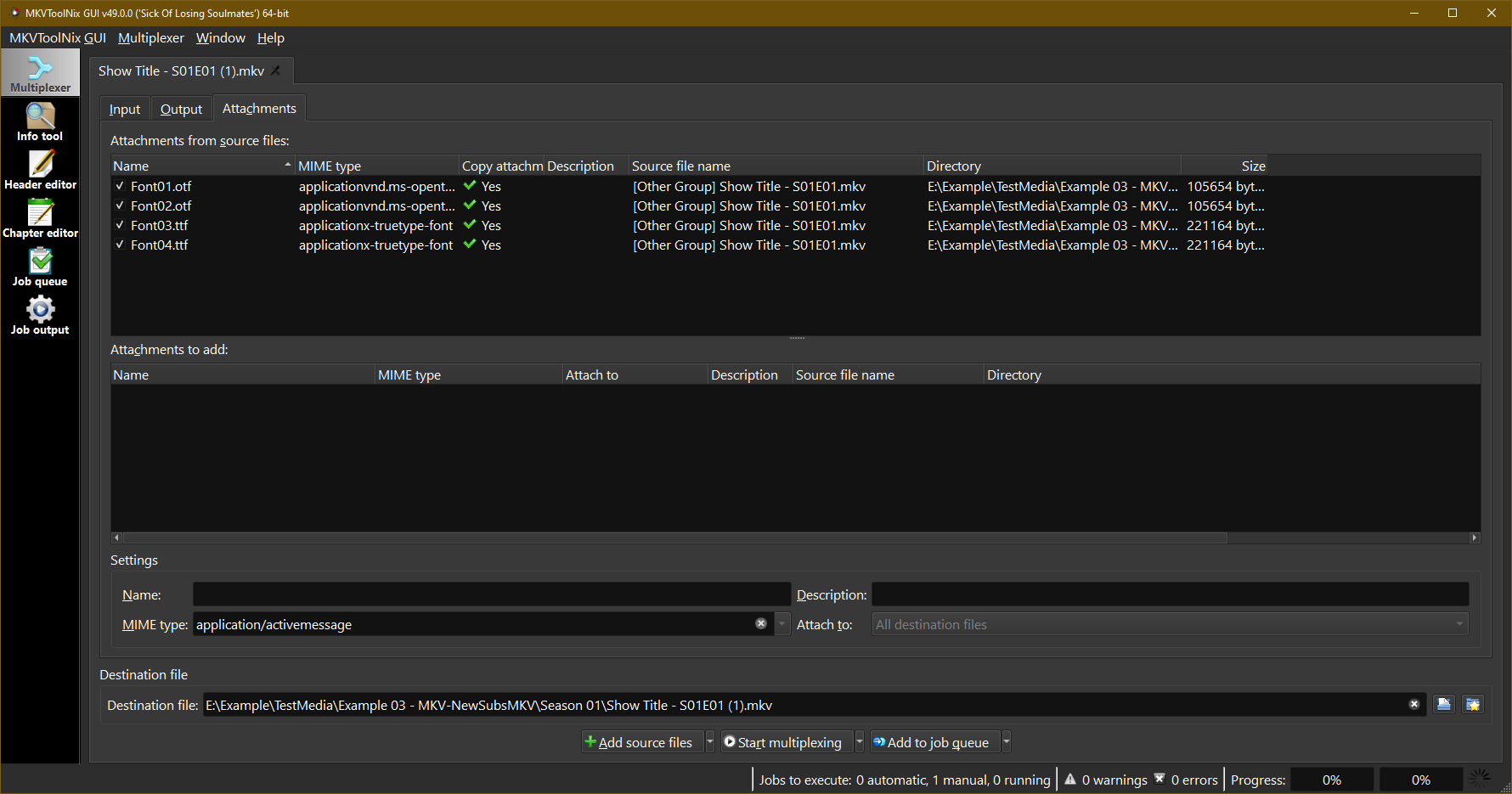
- Here is the verification of the attachments.
- Select a new destination directory in this case Season 01 Dest.
- Copy and paste the command in MKVBatchMultiplex and push <Add Queue>
- Push <Start Worker>.

Directory listing after execution:
E:\EXAMPLE\TESTMEDIA\EXAMPLE 03

+---Season 01
|       Show Title - S01E01.mkv
|       Show Title - S01E02.mkv
|       Show Title - S01E03.mkv
|       Show Title - S01E04.mkv
|       Show Title - S01E05.mkv
|
+---Season 01 Dest
|       Show Title - S01E01.mkv
|       Show Title - S01E02.mkv
|       Show Title - S01E03.mkv
|       Show Title - S01E04.mkv
|       Show Title - S01E05.mkv
|
\---Season 01 Subs
        [Other Group] Show Title - S01E01.mkv
        [Other Group] Show Title - S01E02.mkv
        [Other Group] Show Title - S01E03.mkv
        [Other Group] Show Title - S01E04.mkv
        [Other Group] Show Title - S01E05.mkv
Loading the first file in mkvtoolnix-gui we see the expected output:

Looking in the attachments tab we see the fonts:

The attachments of the [Other Group] files are copied to the output file by default. If the attachments are not needed the can be deselected and they will not be copied.